KLOXA · Digital forms
You send a link.
The form comes back signed to the right file.
The customer fills out and signs from their phone, and the form goes into their file exactly as they signed it. Even someone who filled it out without a personal link is identified by phone, and sensitive details are stored locked.
Sign-up opens soon. Join the waitlist.

One form, from the start
From the sheet on the board
to the child's file.
This is how the sign-up form moves through a kids' judo club. What they signed is kept as it was, and goes into the right file.
You photograph the old form.
It's already a digital form.
You upload the sign-up sheet you already have - a photo, a file or a document - and it becomes a form you can edit and send. If it has an ID number field, the system detects it at upload and stores the answer encrypted.
Files and media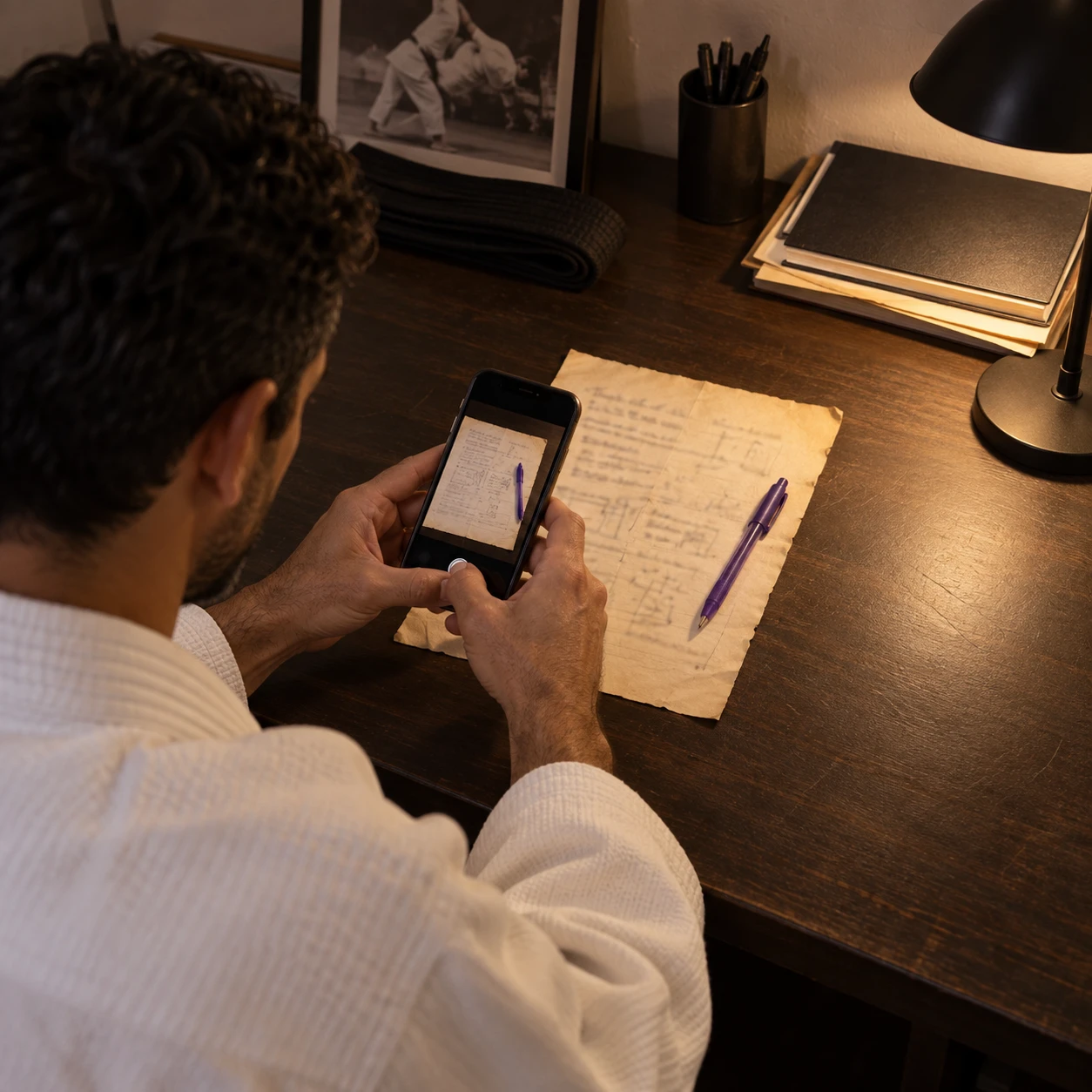
Three forms in one link.
No personal details inside.
The coach sends parents a registration, a declaration and the rules in one link. Even if the link is forwarded, it holds no phone or ID number, and you can let an assistant send forms without being able to change the wording.
Permissions and oversight
Uri's mom signed from the couch.
What she signed won't change.
The link opens on the phone, with no sign-up and no password. She sees how many forms are left, types her name as a signature, and what she signed is kept exactly as she saw it.
The app
Uri came to his first practice.
The declaration is already in his file.
The coach sees on the card that the declaration is signed. The medical answers themselves open only for someone you gave access to, with approval from the phone, and who looked is recorded.
Customers
We asked the parents.
What they were promised is kept.
The end-of-season survey goes out anonymous and closes on the date you set. Once people have started answering, the rules can't be changed after the fact - want a different version? Duplicate it and start fresh.
Reports and analysis
In the system
All your forms.
And who has already filled them out.
Forms, agreements and surveys in one place - who signed, who hasn't yet, and what is stored locked.
Behind one link
What paper doesn't give you.
The form already does.
What was signed doesn't change
Even if you edit the form tomorrow, every signature is kept with the wording the customer saw.
Sensitive details are stored locked
When you mark a field as sensitive, like an ID number, the answer is stored encrypted. The signature is always stored encrypted.
The link reveals nothing
A link that goes out holds no personal details from the card.
Even a form with no name reaches a file
Someone who filled it out without a personal link is identified by phone, and whatever wasn't identified waits in one folder.
What was answered doesn't change
Once people have started answering, a survey doesn't become an agreement and a customer form doesn't become an employee form.
Every employee knows what to fill out
Each role on the team has its own list of forms.
Everything that needs a signature
From a declaration to an agreement.
Every form returns to its place.
A form from a known customer goes into their file. A form from someone unknown waits in one folder until you assign it.
- Form
- Agreement
- Survey
- Several forms in one link
- A form from a photo or a file
- Details pulled from the customer card
- Sensitive detail detection
- Signature stored locked
- Fill out without signing up
- Identified by phone
- A folder for unidentified forms
- Anonymous survey with a closing date
- Required forms by role
- Download as PDF
- The signed wording doesn't change
Does the customer need to install or sign up for anything?
No. The link opens in the phone's browser, and they fill out and sign right from there.
What happens when someone fills out a form without a personal link?
The system looks for an existing customer by the phone number they entered. If found, the form goes into their file. If not, it waits in the "Unassigned forms" folder and doesn't get lost.
Who can read a health declaration?
Only someone you gave access to, and only after approval from the phone. The form is stored locked, and every view is logged.
Is the signature valid?
An exact copy is kept of what the customer saw and when they signed, so it is always clear what they signed. Whether that is enough in your case is worth checking with your legal adviser.
Your next form
isn't on paper anymore.
Sign-up opens soon. Join the waitlist.